
About the Canadian County Clerk
Sherry Murray serves as the Canadian County Clerk. The office is the county's official recorder and keeps the records that touch land, money, and county business. This is not the court clerk role. Court case files, dockets, divorce records, probate filings, and traffic citations are kept by the Court Clerk, while the County Clerk holds recorded instruments and administrative county records.
Day to day, the County Clerk records and indexes documents that affect real property in the county. Staff also track county spending, post notices for public meetings, and manage purchasing and payroll paperwork. The result is a public archive that spans modern deeds and liens as well as historical land documents that reach back well over a century. Much of the recorded material can be searched at no cost, though viewing scanned images of the documents calls for an extra step.
Canadian County Clerk
Clerk: Sherry Murray
Canadian County Clerk
El Reno, OK 73036
Fax (Land Records): (405) 422-2411
Fax (Notices, Purchasing, AP, Payroll): (405) 422-2437
The county's official site lays out how the County Clerk is organized and how to reach each part of the office. The Canadian County Clerk page names the departments and lists the fax lines used for land records and for county business. That page is the best first stop for a searcher who needs to confirm where a record sits before driving to El Reno.
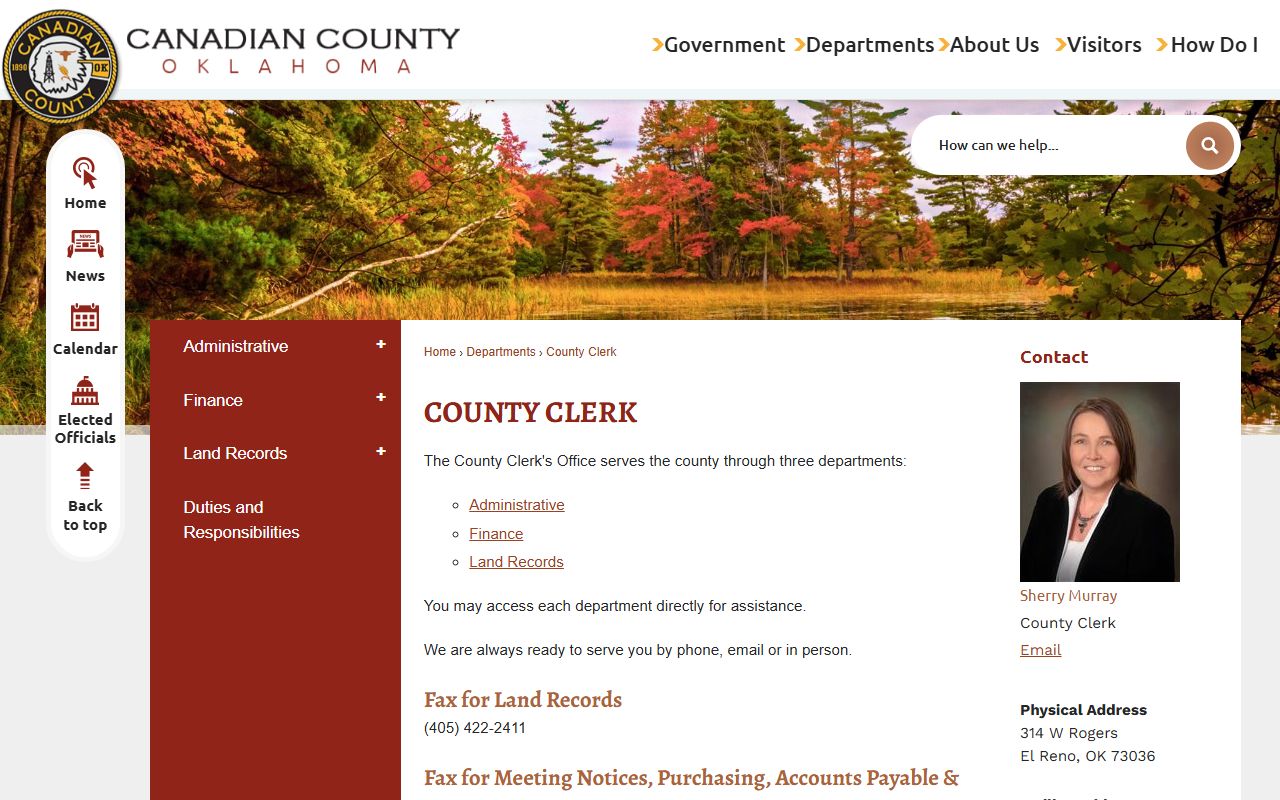
The page shows the three working groups inside the office and the contact lines tied to each one. It makes plain that land recording and county finance run through the same clerk but through different desks.
Inside the Canadian County Clerk Office
The County Clerk serves the public through three departments. Each one covers a clear slice of the office's work, and each has its own way to reach staff. A searcher who knows which department to call saves time, since land questions and finance questions go to different teams.
- Administrative: meeting notices and general county clerk administration.
- Finance: county accounts, accounts payable, and payroll records.
- Land Records: recording, indexing, and the land-record search portal.
The office posts two fax lines for these functions. Land Records uses fax (405) 422-2411. Meeting notices, purchasing, accounts payable, and payroll use fax (405) 422-2437. The Land Records team is the one that handles recorded instruments and the login needed to view document images, so deed and lien questions belong there.
Note: Land questions go to the Land Records team while purchasing and payroll questions use the separate county-business fax line.
Canadian County Land Records
The land-record side of the County Clerk feeds real-property records, not court files. These are the documents people record to show ownership, claims, and other interests in land. The set is broad, and it grows each day as new instruments come in for recording. The same archive holds scanned images of older documents that map the county's land history.
Records you can find through the County Clerk land system include the following types.
- Deeds and other transfers of real property.
- Liens and recorded judgments against property.
- Plats and the plat record book.
- Federal tax liens and UCC-type commercial filings.
- Fictitious names, military discharges, and historical recorded images.
The land portal does not hold court records. It will not show criminal dockets, divorce files, probate case files, or traffic citations. Those live with the Court Clerk and the District Court. The County Clerk steps in only when a reader needs a recorded instrument, a property lien, a tax lien, or a historical document image.
The county's land-record search instructions explain the coverage dates and how to reach the documents. That page is worth reading before a first search, since it spells out which years are indexed by name and which are searched by book and page.
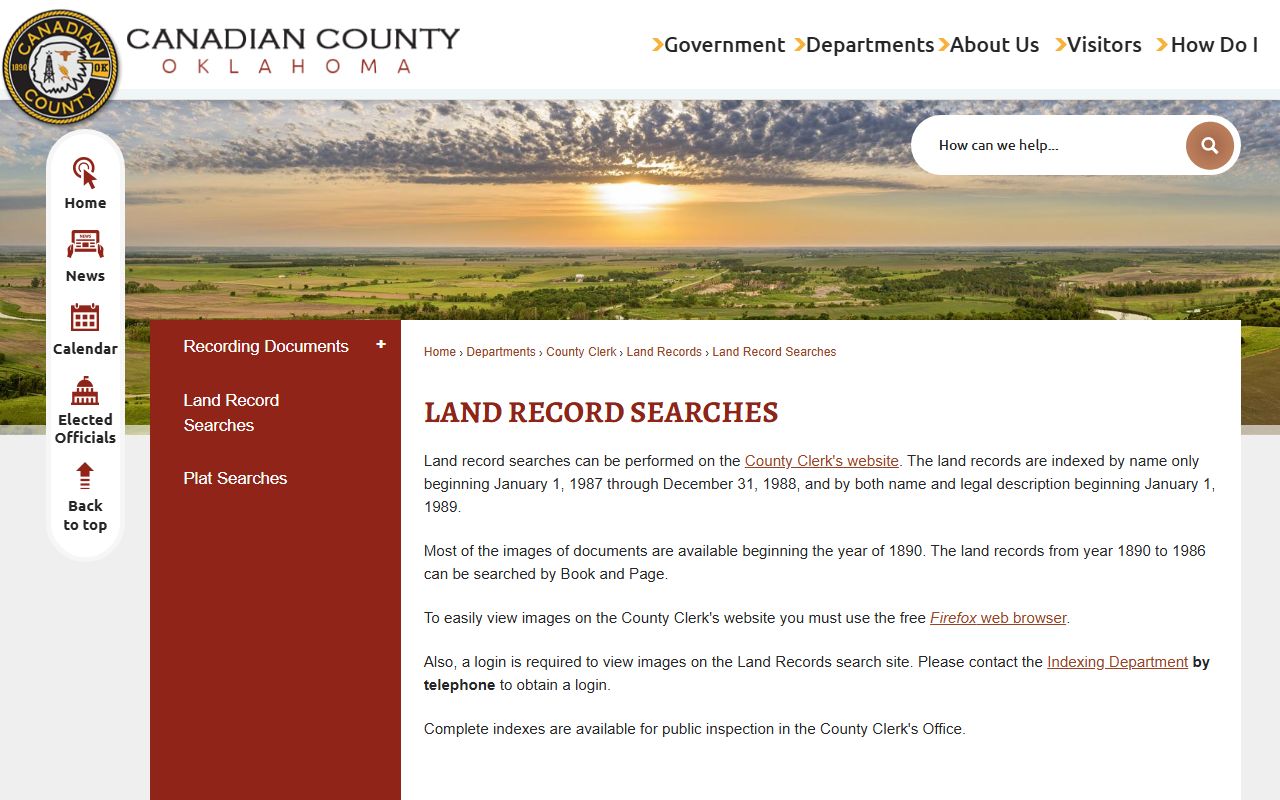
The instructions set expectations for what the index covers and warn that image viewing needs a login. They also flag the browser quirk that trips up many first-time users.
Canadian County Land Record Search Fields
The land-record portal runs on a name and document search. A searcher can look by party name, narrow the results by date, and filter by the kind of instrument. The fields below come from the portal's search-by-name form, which sets the options a user can pick from.
| Field | Type | Options / Notes |
|---|---|---|
| Result Type | Radio | Abbreviated; Complete |
| Index | Radio | Either; Direct; Reverse |
| Last Name | Text | Name-search input |
| First Name | Text | Name-search input |
| Suffix | Text | Appears after first and last name |
| Spouse Name | Text | Additional party field |
| Spouse Suffix | Text | Additional suffix field |
| Commercial | Radio | All; Commercial Only; Non-Commercial |
| Begin File Date | Date | Date-range filter |
| End File Date | Date | Date-range filter |
| Doc Type | Dropdown | Select; Federal Tax Liens; Fictitious Names; M & M / Judgements; Military Discharges; Physicians Records; Plat Record Book; UCC Z Comm.; Miscellaneous |
The county runs this search through the Canadian County Clerk land-record portal, which opens with instructions for new users. The portal page sets out the rules for index coverage and image access before a search begins.
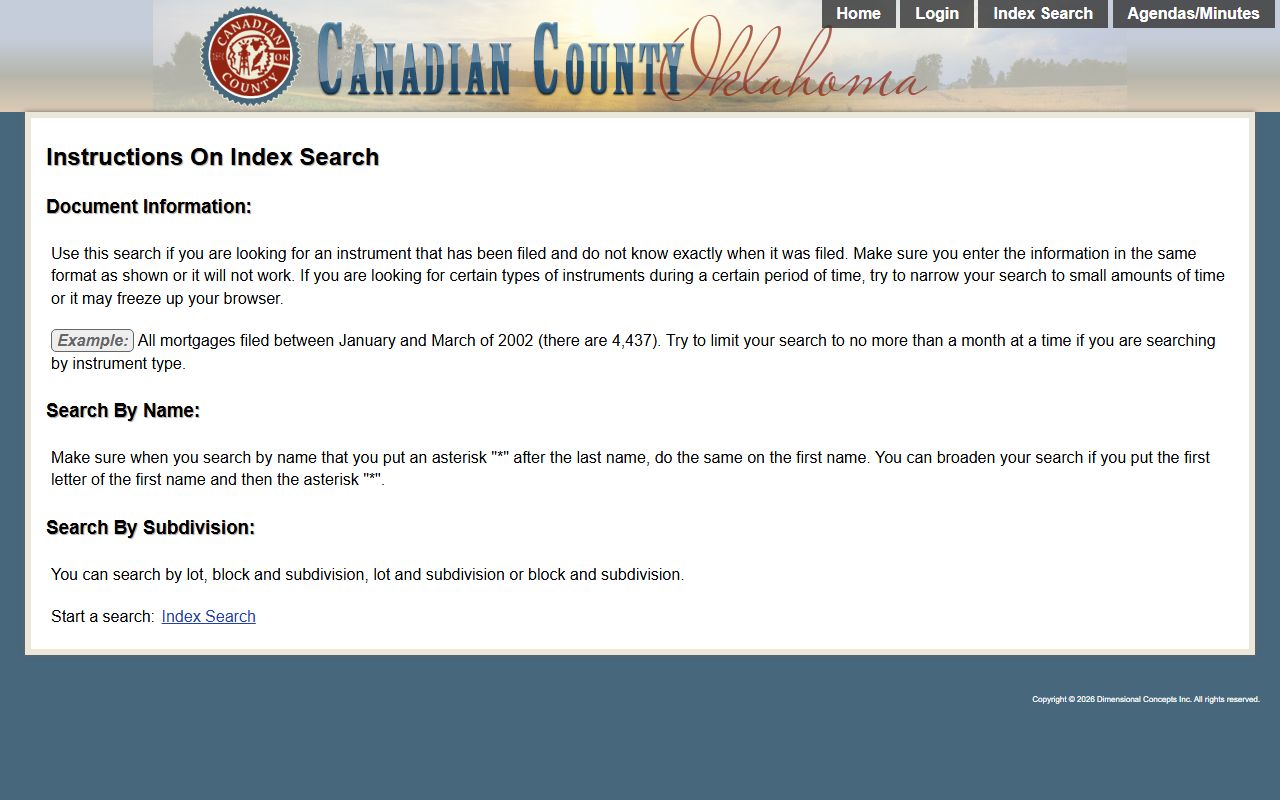
The portal home page explains the date ranges and points users to the name search and the book-and-page search. It is the gateway for every online land-record lookup in the county.
How to Search Land Records
A land-record search starts on the County Clerk portal and follows a few clear steps. Most searches begin with a name, then narrow by date or document type. Viewing the actual image of a document is a separate step that needs a login.
- Open the County Clerk land-record portal and choose the search-by-name screen.
- Enter the last name and first name of the party, plus a suffix or spouse name when you have one.
- Set a begin and end file date, and pick a document type if you want to narrow the list.
- Review the index results and note the book and page for older records.
- Log in to view the scanned image, or visit the County Clerk's Office to inspect the complete indexes.
The search-by-name screen is where most of this work happens. The land-record name search form exposes the name fields, the date range, and the document-type dropdown in one place. It is the practical entry point for tracing a deed or lien by party.
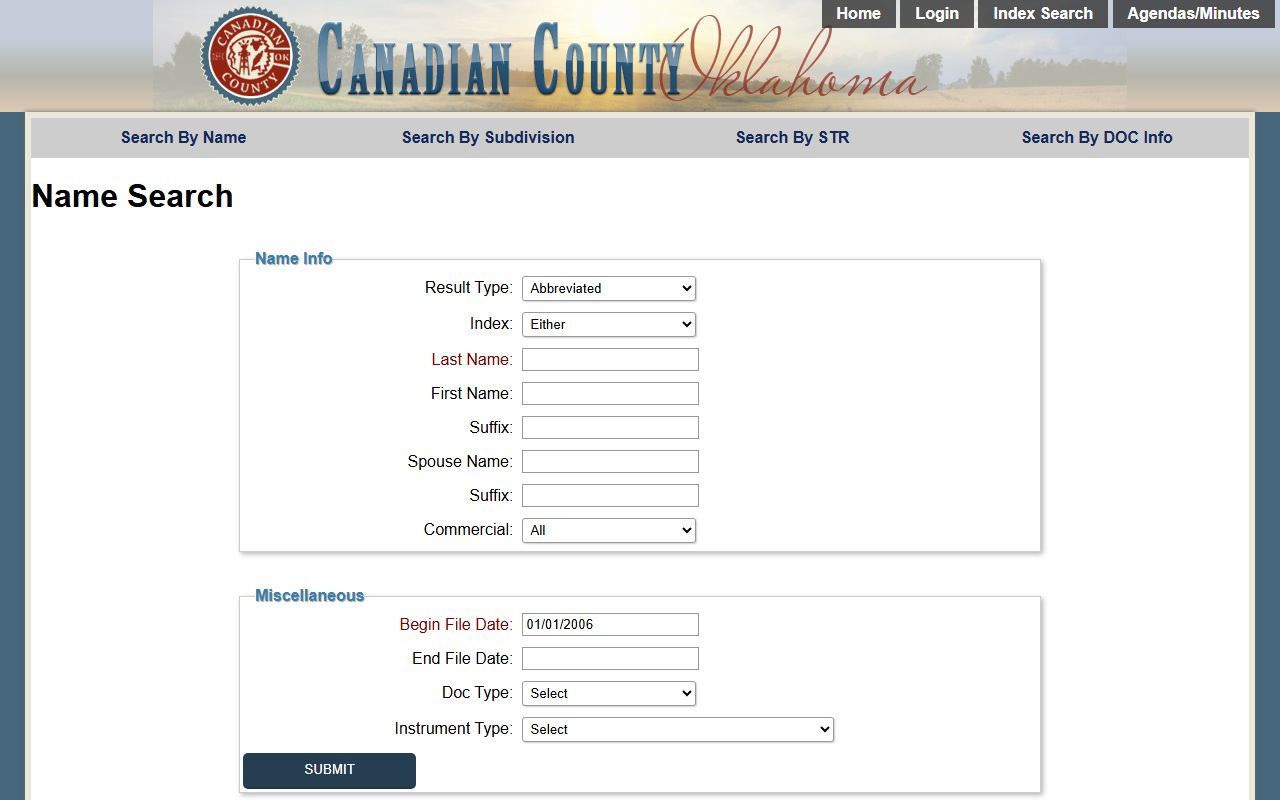
The form lets a user mix a name with a date range and a document type to cut a long list down fast. Once a result looks right, the login step unlocks the image of the recorded paper.
Note: A name search returns an index entry, but the scanned image of the document opens only after you log in or visit the office in person.
Canadian County Index Coverage
Coverage of the land index changes by year, so a searcher should match the method to the era. Recent records carry both names and legal descriptions, while older records are reached a different way. The table sets out how each block of years is indexed and where images begin.
| Period | How It Is Indexed |
|---|---|
| Jan 1, 1987 to Dec 31, 1988 | Indexed by name only |
| Beginning Jan 1, 1989 | Indexed by both name and legal description |
| 1890 to 1986 | Searchable by Book and Page |
| Beginning 1890 | Most document images available |
For records between 1890 and 1986, a name search may not be the path. Those documents are searched by book and page, so a searcher often needs a reference number from an older deed, an abstract, or the office staff. The complete indexes are open for public inspection at the County Clerk's Office, which is the surest way to trace the oldest land documents.
Viewing Canadian County Land Images
Searching the index is free and open, but viewing the scanned images takes one more step. The County Clerk requires a login to open document images on the land-record search site. To get a login, a user contacts the Indexing Department by telephone and asks for access. The index search itself does not need an account.
The office also flags a browser tip. Its page says Firefox is needed to easily view the images, so a searcher who has trouble opening a document in another browser should try Firefox first. When online access is not enough, the complete indexes sit open for public inspection at the County Clerk's Office in El Reno, where staff can help locate a book-and-page record.
Note: Index searching is free, but image viewing needs a login from the Indexing Department and works best in the Firefox browser.
Court Records and Land Records
The split between the two clerk offices matters when a search starts. The County Clerk records property and county business. The Court Clerk keeps the court case files. A lien on land is recorded here, but the lawsuit that produced a judgment is a court file kept elsewhere.
For court case files, dockets, criminal matters, and divorce records, the office to use is the Court Clerk, and those records are covered on the Canadian County Court Clerk page. Estate matters and wills run through the District Court probate department, and that ground is covered under Canadian County probate records. The County Clerk steps in for the recorded instrument itself, such as a deed, a recorded judgment, a tax lien, a plat, or a historical land image.
Matching the record to the right office is the whole task. A deed, a lien, or a plat starts with the County Clerk. A case number, a hearing, or a sentence starts with the Court Clerk and the District Court.